
One list.Every envelope,receipt and report.
WORK SMARTER. SAVE TIME. GET MORE DONE.
Born from real experience in the clerk’s office.
After years of handling the same repetitive tasks, one thing became clear: too much time is spent doing the same work over and over again. Typing names and addresses. Writing them again in the Registry Book.
Preparing Certificates of Mailing. Creating Transmittal Forms. Entering the same case information for another hearing date. Then repeating the entire cycle again.
Not anymore.
This application transforms those repetitive tasks into a simple, one-click workflow. Enter the information once, and the application does the repetitive work for you. Names and addresses are saved and ready to use again whenever you need them. Generate your forms faster, reduce repetitive typing, and keep your workflow organized.
ONE ENTRY. ONE CLICK. LESS WORK.
⏱️ Save valuable time
📝 Reduce repetitive typing
📂 Reuse saved names and addresses
📄 Prepare forms faster
⚡ Streamline your daily workflow
🎯 Spend more time on work that actually matters
More time saved. More work accomplished. Less repetitive work. Your experience made into an easier way to work. Work less on repetition. Work more on what matters.
Today's mail
How a day's mailing goes
The same three steps every morning, whether you are sending to five parties or fifty.
- 1
Tick the recipients
Search the address book by name, address, case number or document, and tick who gets mail today. Shift-click ticks a whole range.
- 2
Set types and dates
Give everyone the same document type in one click, or change one. Documents dated on different days each keep their own date.
- 3
Print all three
Preview every envelope, the Registry Book receipts and the Transmittal Report, then print. Nothing is typed twice.
The real screens
Captured from Mail Buddy itself, with made-up sample names and case numbers.
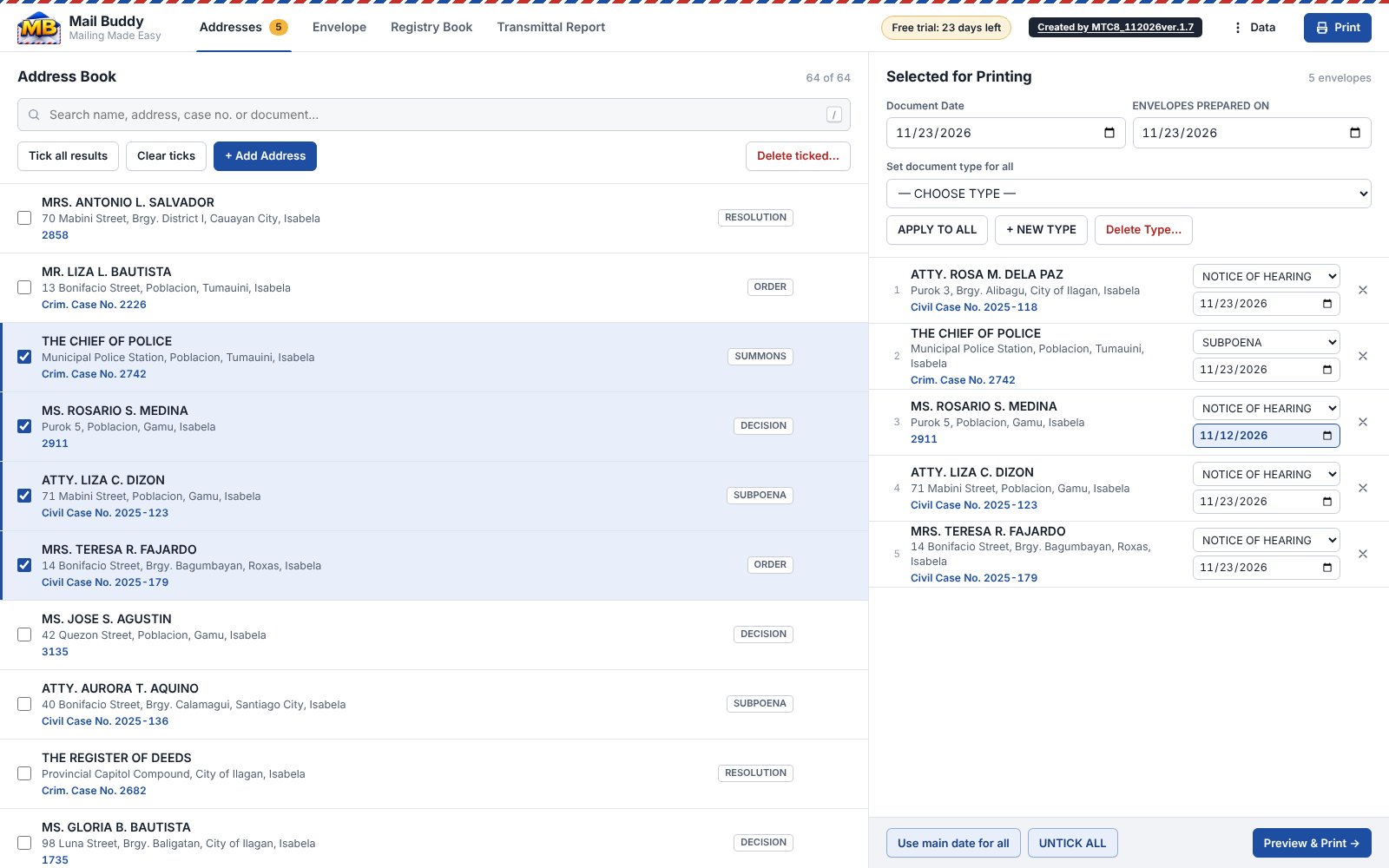
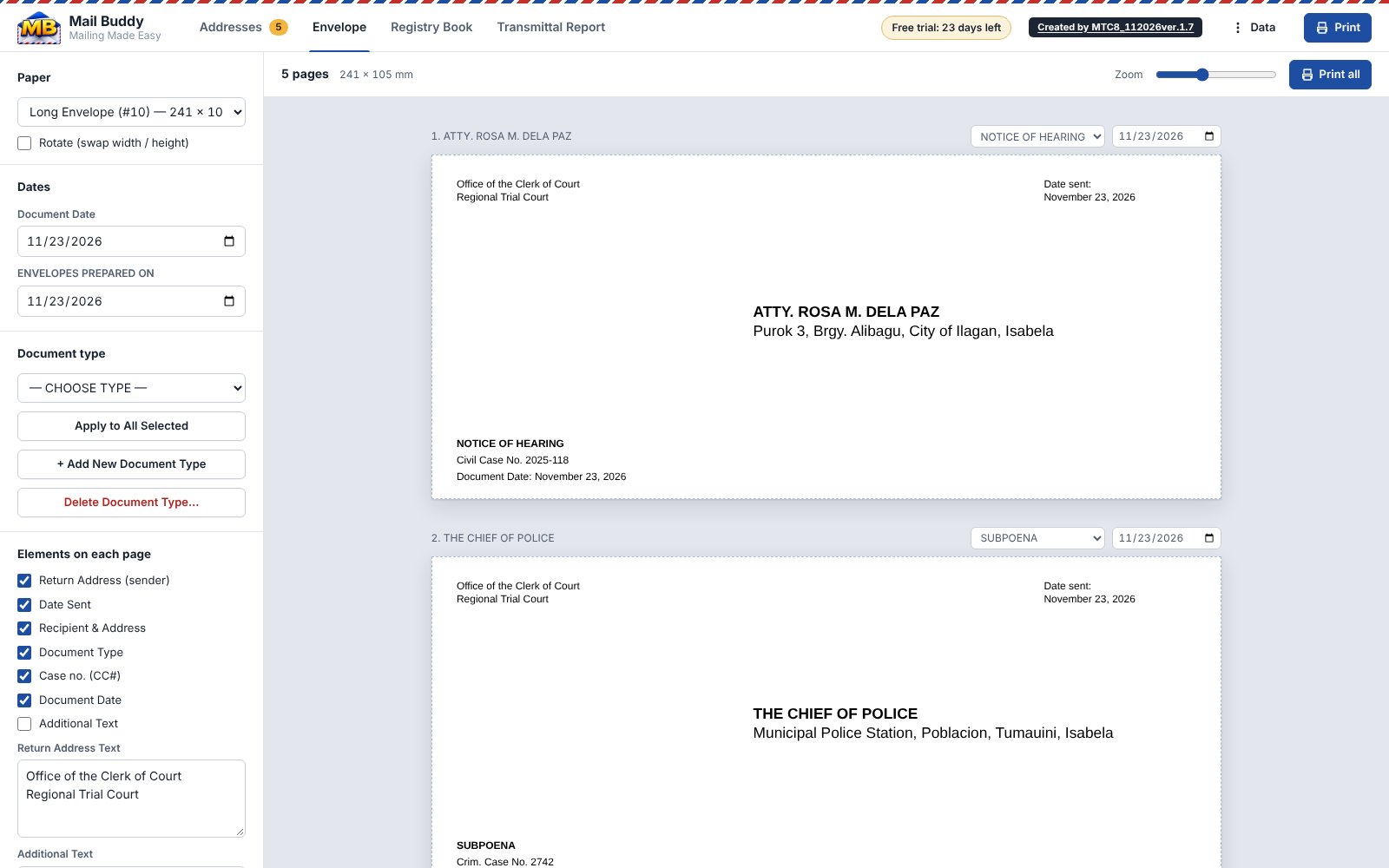
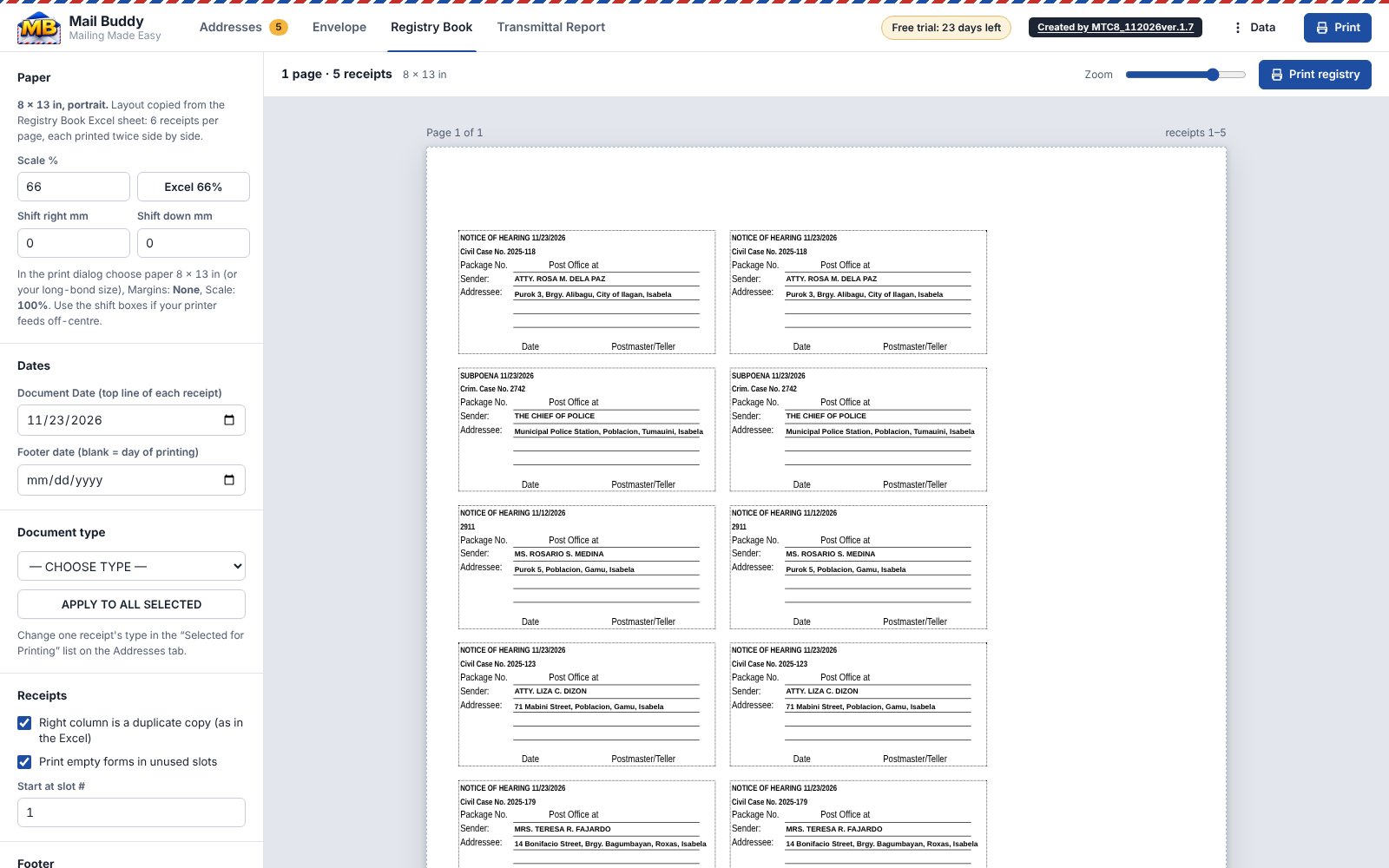
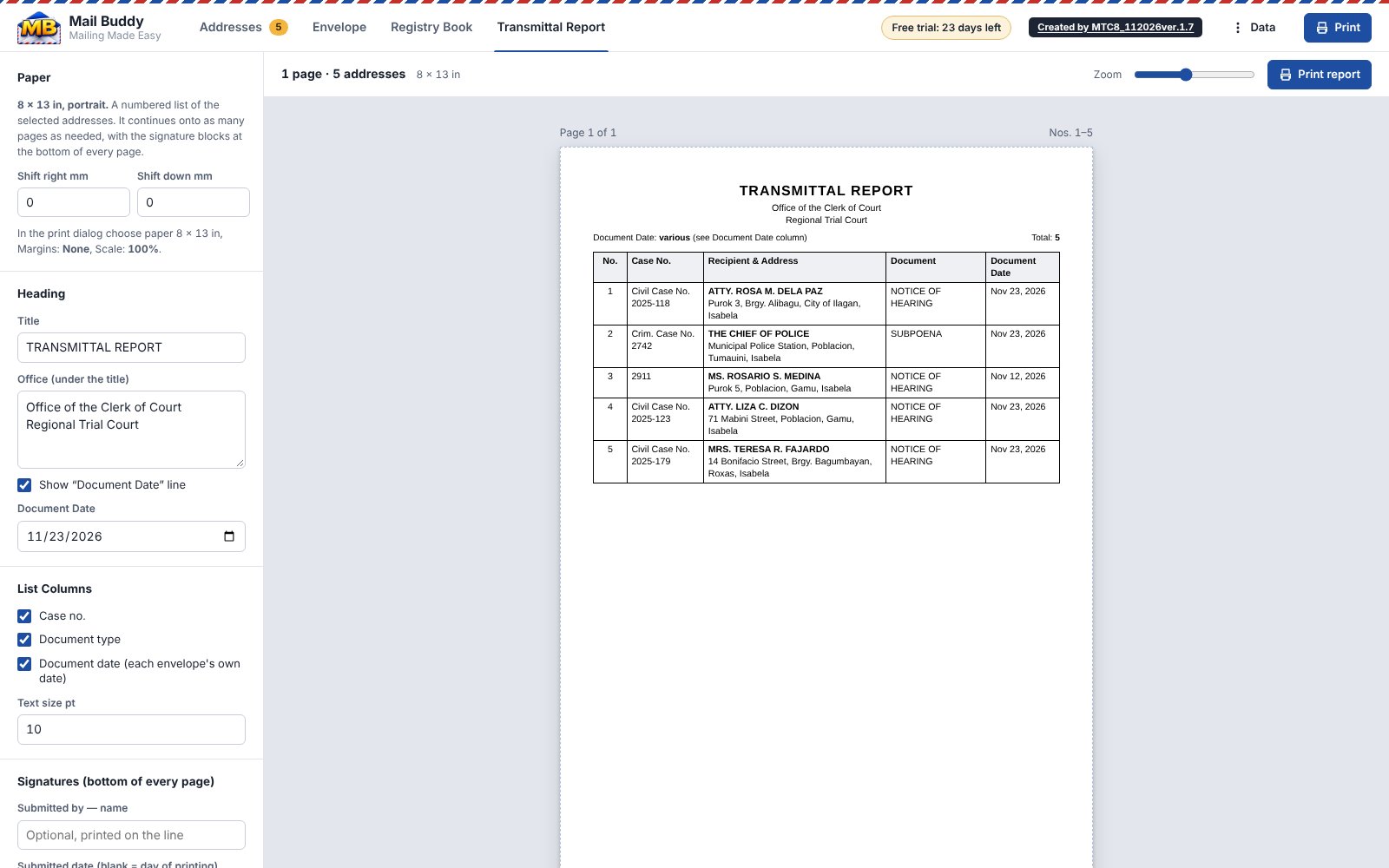
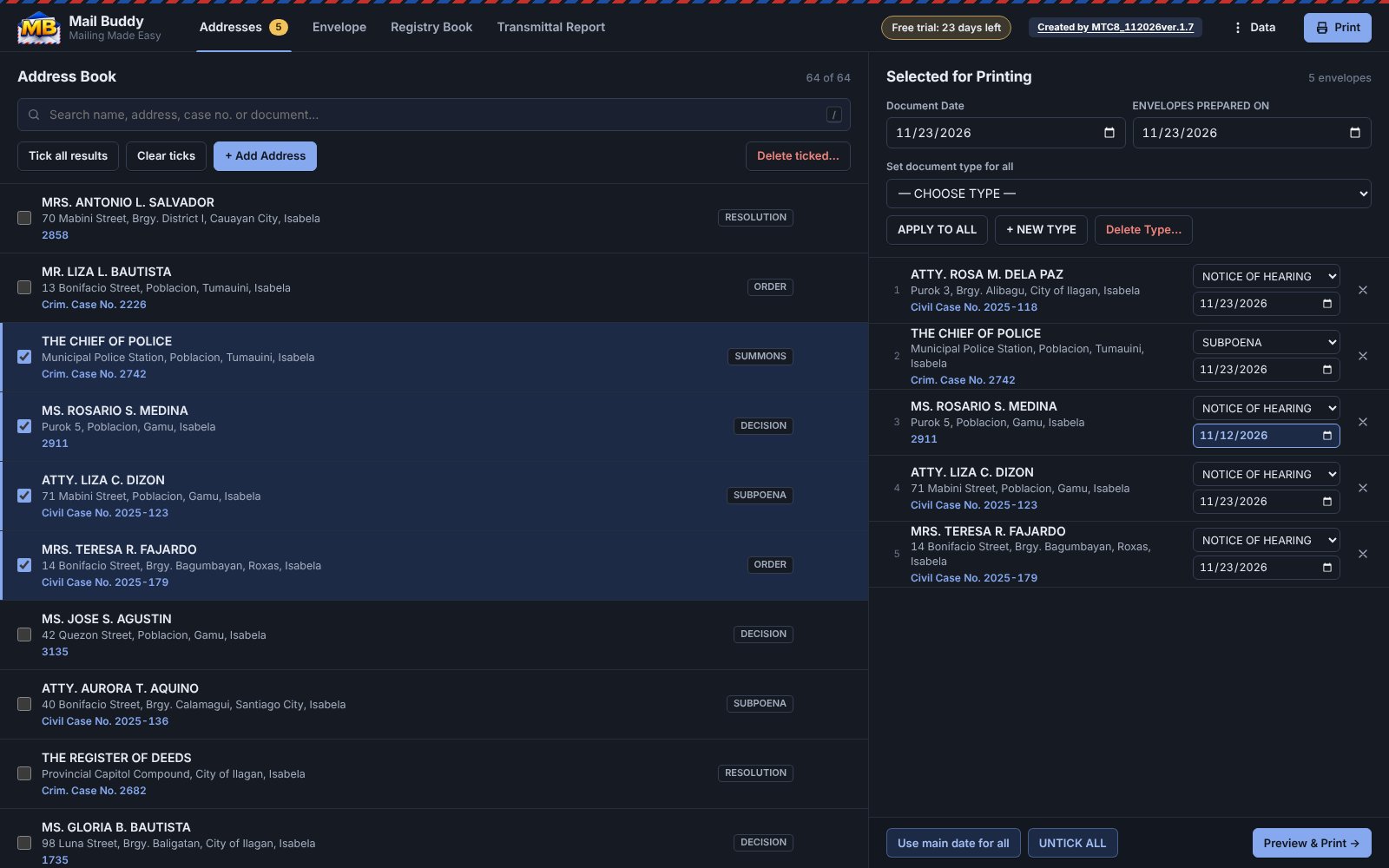
See Mail Buddy in action
From finding an address to printing the last report, recorded from the real program.
- Find and add addresses
- Search as you type, add a new recipient, undo a mistake.
- Pick today's recipients
- Tick, Shift-click a range, set types and dates.
- Print all three
- Envelopes, Registry Book receipts, Transmittal Report.
- Export, backup, dark mode
- Excel export of the selection and a full backup file.
Built for the clerk's desk
Everything an office needs to send registered mail, and nothing to learn twice.
Address book
Thousands of parties and counsel, searchable by any word in the name, address, case number or document. Add, edit or delete with one-click undo.
Dates per document
One main Document Date, and any envelope can carry its own. The envelope, receipt and report all print the right one.
Your layout
Envelope sizes from #10 to C4, or your own. Drag lines into place and the move applies to every envelope.
Registry Book
Copies the office's Excel receipt form exactly. Long addresses shrink to fit and anything too long is flagged before you print.
Transmittal Report
Numbered list by case number, document and date, split over as many 8 × 13 in pages as needed, signature blocks on each.
Excel and backups
Export the selected addresses to Excel. Save one backup file of everything and restore it on another computer.
Works offline
A Windows program that needs no internet. Your data stays on your computer, in a folder next to the program.
Light or dark
Switch to dark mode from the Data menu. Printouts always come out black on white.
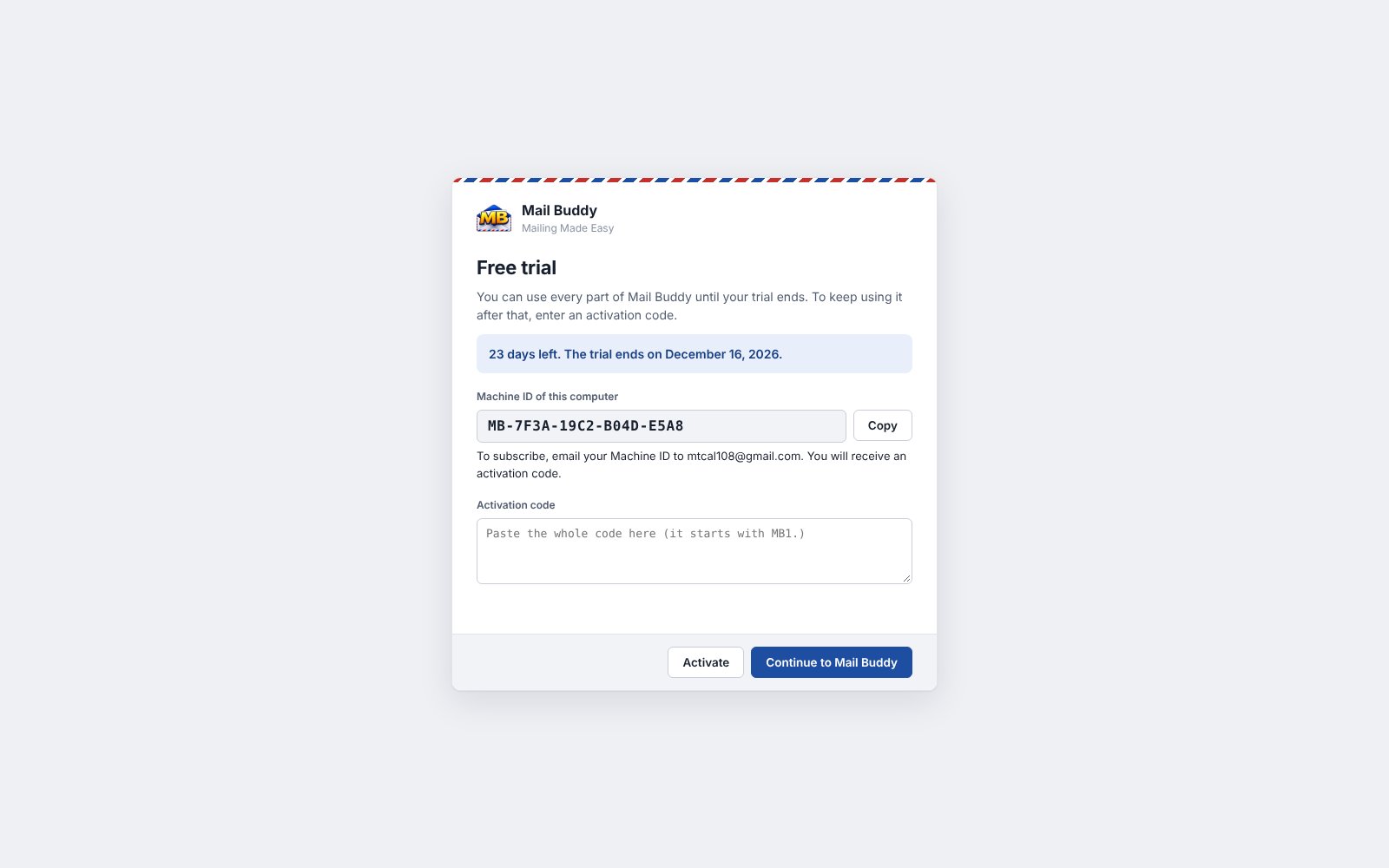
Use every part of it free for 30 days
The trial starts the first time Mail Buddy opens on your computer. After that, a subscription keeps it running on that computer, renewed with a code by email.
mtcal108@gmail.comWrite an email- Get Mail Buddy
Email to ask for the program and start your free month. - Send your Machine ID
When you're ready to subscribe, copy it from the subscription screen. - Enter your activation code
Paste the code you receive. Your addresses and settings stay as they are.